Introducing

Stuck mid-score? Just ask.

The app for the question every Sibelius user asks: “How do I do this in Sibelius?” Ask in your own words and get the steps for the version you use.

Ask it your way.

“How do I write lyrics with a dash”

How do I write lyrics with a dashCollapse
Here’s how to type a hyphen between syllables (like hap-py) in lyrics:
1. Select the note where the lyrics should start.
2. Click the upper part of the Text > Lyrics > Lyrics button (Command+L). A flashing caret appears.
3. Type the first syllable, then press - (hyphen). Sibelius draws the hyphen and moves to the next note.
4. Type the next syllable. Press - again after each syllable within a word.
5. Press Space at the end of each whole word.
If you meant a dash as a separate mark between words or phrases, tell me and I’ll switch.
Ask about Sibelius…Ask
How it works
Shortcut mode

Shortcuts are faster.

Ask for any shortcut and get it straight away.

Sibelius 5 to 2026.9.

Pick your version. Only its guide answers. Also Sibelius for mobile.

The version picker in SibGenie: Current, Legacy, or Sibelius for mobile, then edition and version
Find your version

Wherever you work.

Mac, iPhone, and iPad.

Mac

In testing now
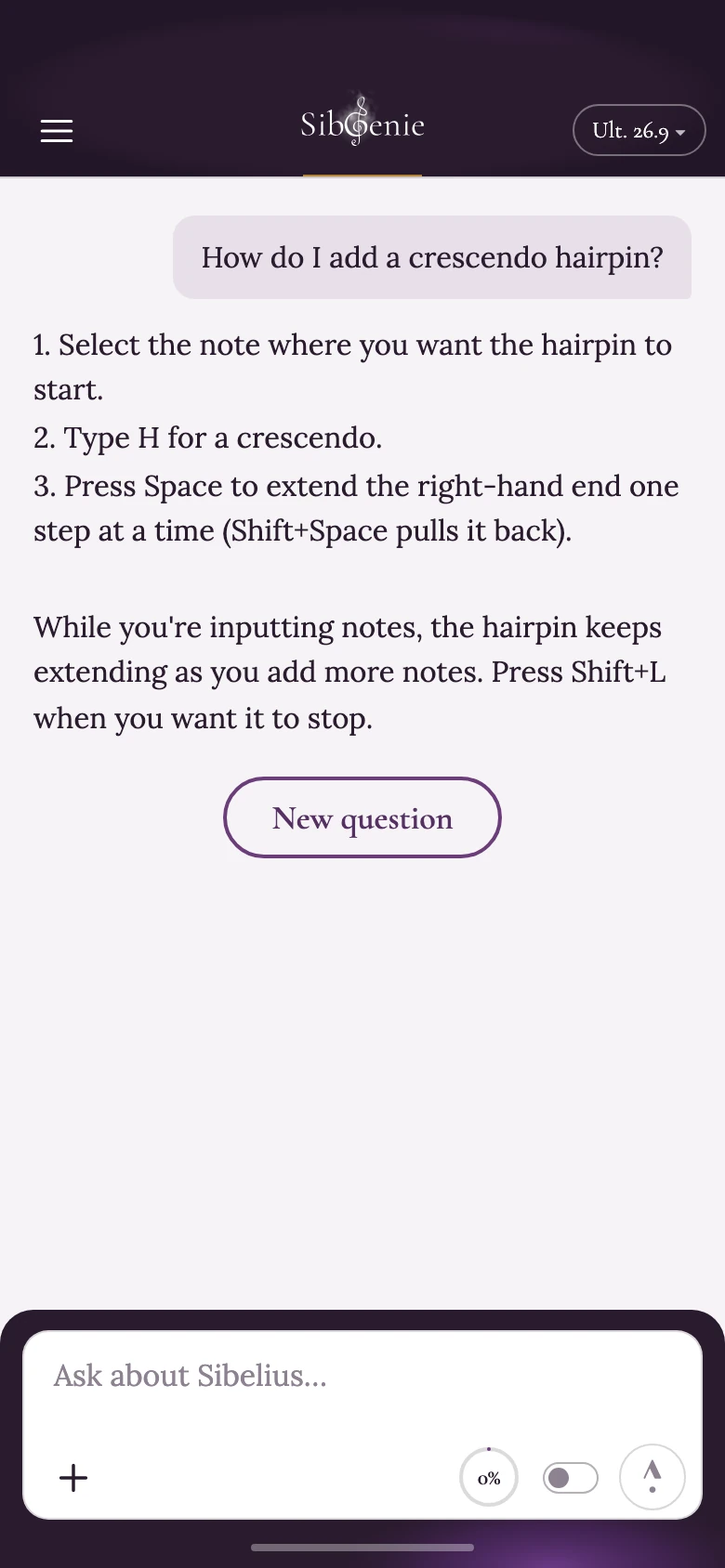
SibGenie on iPhone

iPhone

In testing now

iPad

In testing now

Windows and Android versions to follow.

How it looks

Want to try it?

A few users get it first. Be one of them.

Which would you use it on? Tick all that apply.Mac, iPhone, and iPad now. Windows and Android to follow.

During testing, every question is kept and each day’s questions and answers go to the app’s maker in a daily report, with how each answer was made, so wrong answers can be found and fixed. Reports are deleted when the testing period ends, or sooner if you ask.

Your email, version, and devices are kept only to invite you to test the app and to tell you when the app opens, and this browser remembers that you have signed up, so the form shows it next time. When you sign up, your details are emailed to us through Resend, an email service based in the United States. To have your details removed, write to support@sibgenie.com.

Introducing

Stuck mid-score?
Just ask.

The app for the question every Sibelius user asks: “How do I do this in Sibelius?” Ask in your own words and get the steps for the version you use.

Become a tester

Ask it your way.

“How do I write lyrics with a dash”

How do I write lyrics with a dashCollapse
Here’s how to type a hyphen between syllables (like hap-py) in lyrics:
1. Select the note where the lyrics should start.
2. Click the upper part of the Text > Lyrics > Lyrics button (Command+L). A flashing caret appears.
3. Type the first syllable, then press - (hyphen). Sibelius draws the hyphen and moves to the next note.
4. Type the next syllable. Press - again after each syllable within a word.
5. Press Space at the end of each whole word.
If you meant a dash as a separate mark between words or phrases, tell me and I’ll switch.
Ask about Sibelius…Ask
How it works
Shortcut mode

Shortcuts are faster.

Ask for any shortcut and get it straight away.

Sibelius 5
to 2026.9.

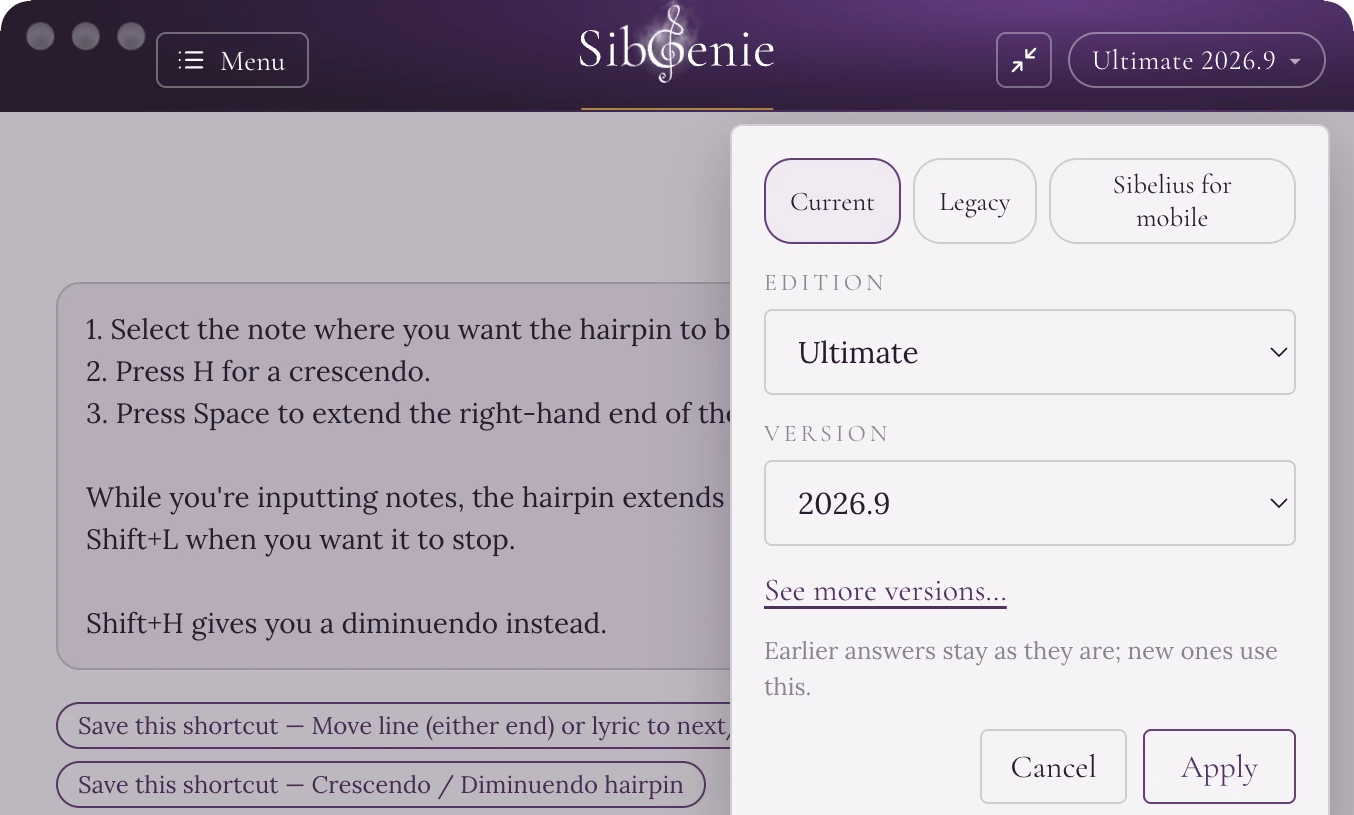
Pick your version. Only its guide answers. Also Sibelius for mobile.

The version picker in SibGenie: Current, Legacy, or Sibelius for mobile, then edition and version
Find your version

Wherever you work.

Mac, iPhone, and iPad.

Mac

In testing now
SibGenie on iPhone

iPhone

In testing now

iPad

In testing now

Windows and Android versions to follow.

How it looks

Want to try it?

A few users get it first. Be one of them.

Which would you use it on? Tick all that apply.Mac, iPhone, and iPad now. Windows and Android to follow.

During testing, every question is kept and each day’s questions and answers go to the app’s maker in a daily report, with how each answer was made, so wrong answers can be found and fixed. Reports are deleted when the testing period ends, or sooner if you ask.

Your email, version, and devices are kept only to invite you to test the app and to tell you when the app opens, and this browser remembers that you have signed up, so the form shows it next time. When you sign up, your details are emailed to us through Resend, an email service based in the United States. To have your details removed, write to support@sibgenie.com.